Add a new patient from Charge entry |
  
|
Add a new patient from Charge entry |
|
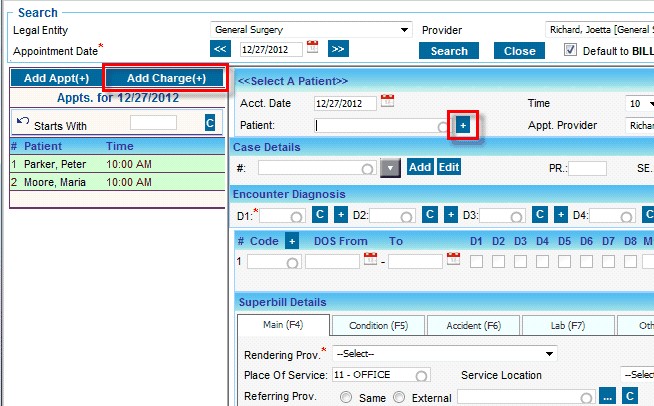
To add a new patient from the charge entry screen, click on Add Charge(+) button and then click on the  button next to patient search.
Patient Information screen pops up once clicked on the  icon
icon
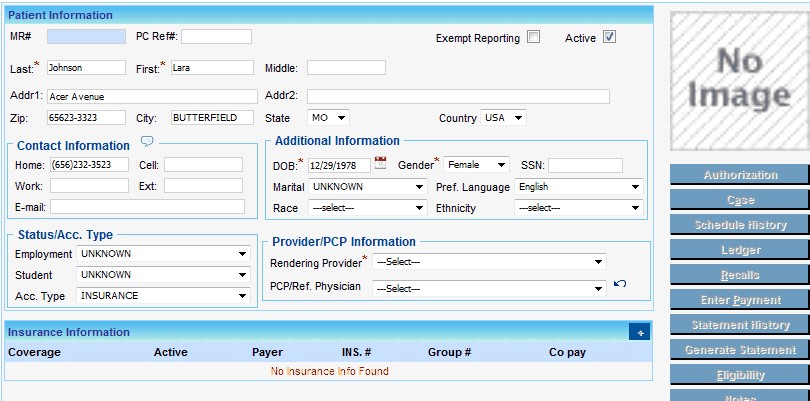
Enter all the required fields and click on Save.