Review Batch Log |
  
|
Review Batch Log |
|
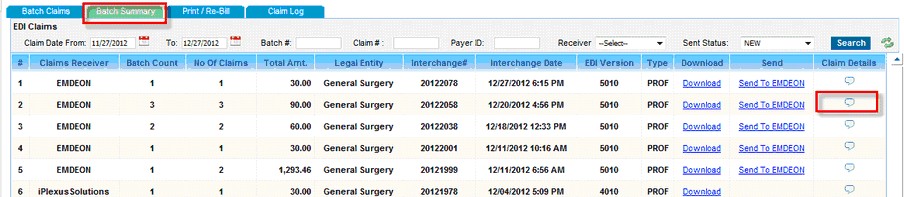
To view a Batch Log, navigate to Charges from the main menu and then click on Submit Claims. Under the Batch Summary tab click on the  icon corresponding to a claims batch.
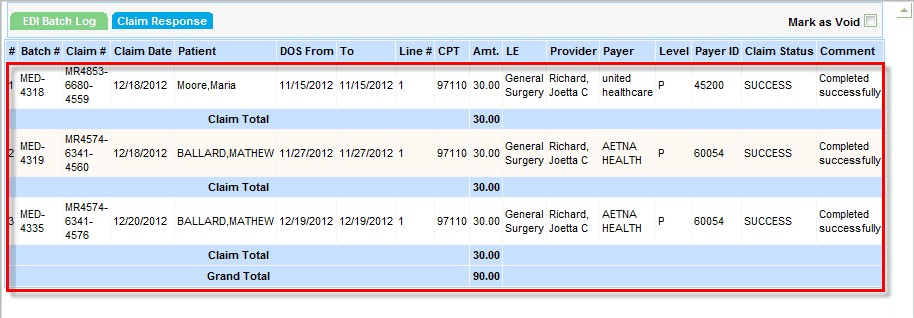
Batch log provides the details regarding all the claims in an un-submitted claims batch.