See Different Colors on the Appointment Lists and why do they change |
  
|
See Different Colors on the Appointment Lists and why do they change |
|
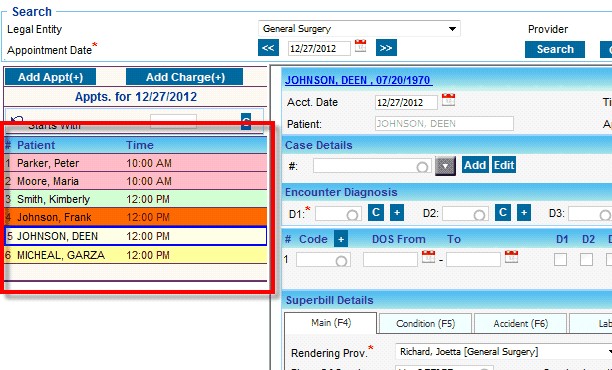
1.Lists the appointment for the selected day and their Status. Color is driven from the Charge status.
➢ All the untouched appointments appears with faded yellow color  .
.
➢ Charges from HER appears with “New” status indicated by bright yellow 
➢ Charges that are batched/submitted are indicated in light pink color 
➢ Posted Charges appears in green 
➢Charges that are in HOLD status is indicated by red color 
Color categorization is to easily identify the charge status and to locate an un-posted charges.