View current line status and any previous claim or line activity on the Print/Rebill screen |
  
|
View current line status and any previous claim or line activity on the Print/Rebill screen |
|
From the Print/Re-Bill screen pull up the claims using the search options available
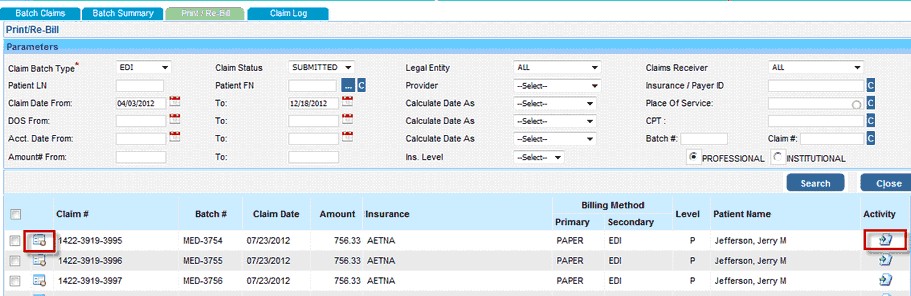
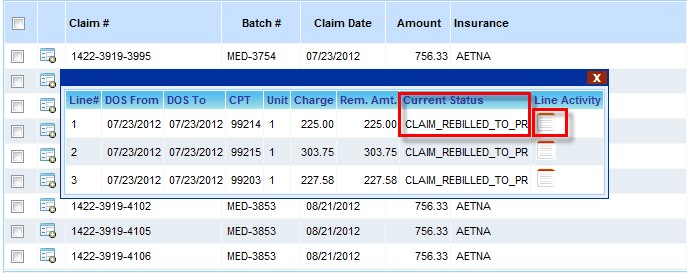
1.From the search results, click on the  icon corresponding to a claim to view the Current Line Status of that claim
2.On the window that pops up, click on the To view the  icon to view the Line Activity details
3. To view any previous Claim Activity click on the  icon
icon